


FAQ about payments
Klarna
How can I finance with Paypal Credit?

Buy Now, Pay Later - 100% Interest-Free
PayPal Credit gives you the freedom to buy all the scooter you want today and pay it over 6 months with no interests. Approval is instant for customers who already have a PayPal account.
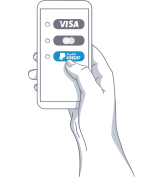
How to use PayPal Credit

Select PayPal as your payment method.
After going through Checkout and selecting PayPal as your payment method, you will be directed to PayPal website.

Apply for PayPal Credit
At PayPal confirmation page, look for PayPal Credit and click to apply. Get a credit decision in seconds!

Pay over 6 installments
If approved, shop instantly with PayPal Credit right from your PayPal account.
Why PayPal Credit?
Pay nothing today
Complete your order today.
Interest-Free
Up to 6 months interest-free. No hidden fees.
Flexible repayments
Flexible amount per month you pay for it is available. Be in control at all times.
No Maximum Spend
Buy your dream scooter today!
PayPal Credit FAQ
-
All you need is:
1. An account with PayPal
-
How to use PayPal Credit:
1. Select PayPal at the checkout.
2. Log into your PayPal account.
3. Click on "Apply Now" on the PayPal Credit banner.
4. Get approval on your order.
5. Confirm the delivery address.
6. Set your repayment schedule. -
Fees & Interest:
1. PayPal Credit offers 6 months interest-free for purchases over $99.
2. If the balance, PayPal will apply interest based on the current Prime Rate. More info here.
3. There is no extra fees for setting up an account. -
Repayments:
1. Flexible payments allow you to choose how much you want to pay each month.
2. There is a minimum monthly payment required. The minimum amount is set by PayPal Credit. -
Approval:
1. Varla is not responsible for your approval.
2. Contact PayPal if you have any questions about your account.
Why the payment failed?
If you pay by credit card, your payment could be somehow denied at the checkout by our system in defense against possible credit card fraud.
Under this situation, here are 4 solutions for you:

1. Chose Another Payment Method 
- Step 1: Select PayPal still at the checkout page & click the complete order button.
- Step 2: Then you'll be directed to a page with access to both PayPal and Debit/Credit card payment
(for the latter option, you don't have to register for PayPal). - Step 3: Then you can complete your order with your Credit/Debit card.
2. Pay via PayPal or PayPal Credit.
If you have a PayPal account, we recommend that you pay via PayPal or PayPal Credit.

3. Switch to your other credit/debit card.

4. Call the customer service number on your credit/debit card.
Let them know you are authorizing the payment. Once they put an authorization through, you're able to process your payment once more on our website and the order will be accepted.
How to Redeem Varla Points?
Step 1 Click the floating gift icon at the bottom of the page
Step 2 Log in your Varla account
Step 3 Click "Ways to redeem"
Step 4 Redeem your Varla points;
Step 5 Decide the points to be redeemed
Step 6 Redeem successfully, you will see a discount code. Copy it and apply it at checkout.
* It cannot combine with other discount codes

